
AI Website Assistant
For Conversational Lead Generation
CYBOT is an AI website assistant that turns your content into real-time, human-like conversations. It answers visitor questions, captures qualified leads, and routes them directly to your team - all without requiring any code.
- Trained on your website, PDFs, and selected content
- Connects to Shopify for live price and stock answers
- Run multiple AI assistants for different services or audiences
- Conversations in 9 languages, auto-detected
- No code setup. Go live in minutes
- Privacy first and consent driven by default
Used by consultants, healthcare providers, and service businesses worldwide
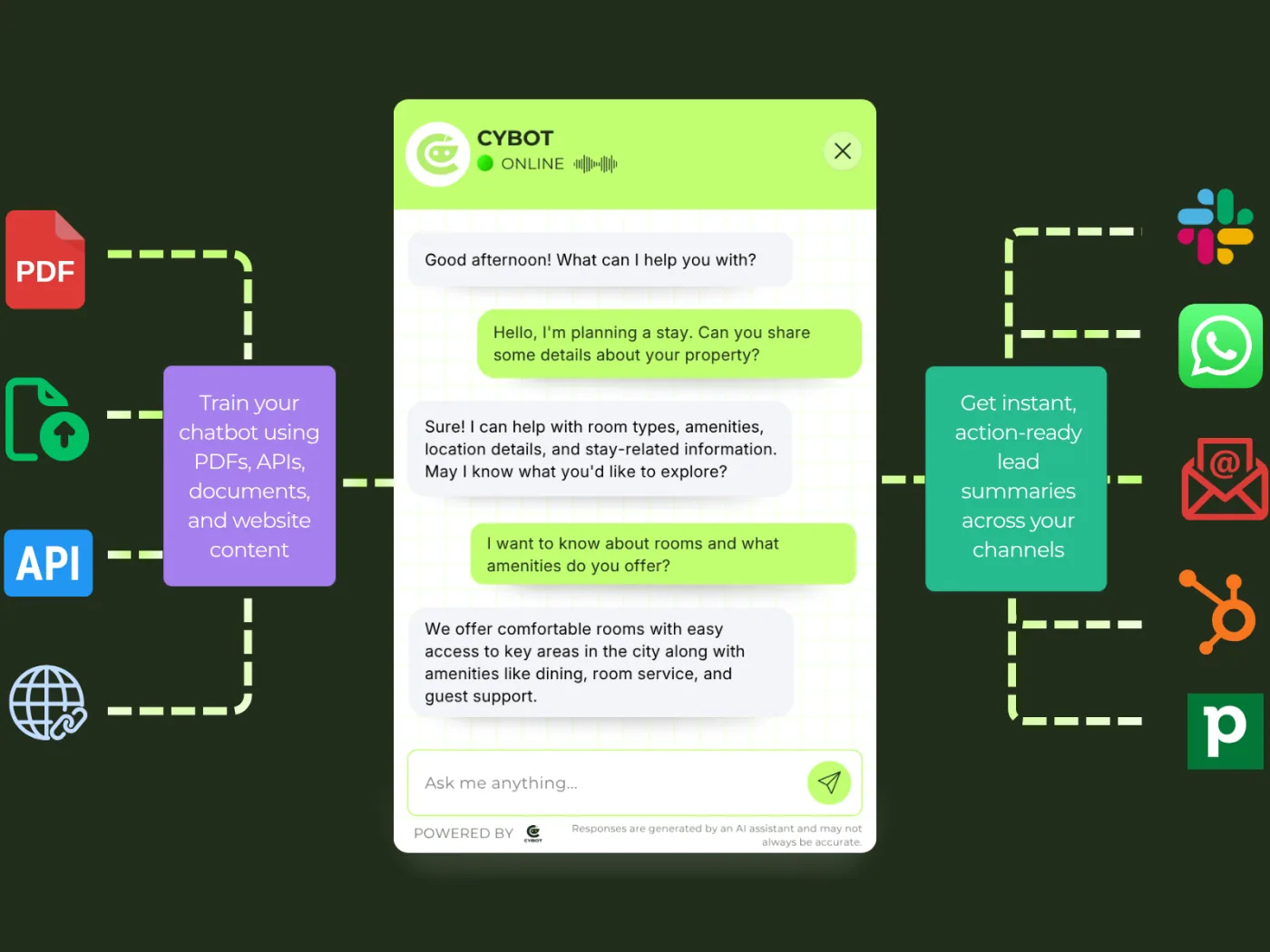
See Your AI Website Assistant Answer Live
Try CYBOT trained on real website content - switch modes below to see how it answers questions, qualifies visitors, and captures leads in real time.
Awaiting first signal…
CYBOT analyzes each message for buying intent and surfaces it here in real time.
Awaiting first signal…
CYBOT analyzes each message for buying intent and surfaces it here in real time.
Smart Features for Your AI Website Assistant
CYBOT is built to help businesses launch an AI website assistant quickly while keeping full control over content, tone, and data.
Quick Setup
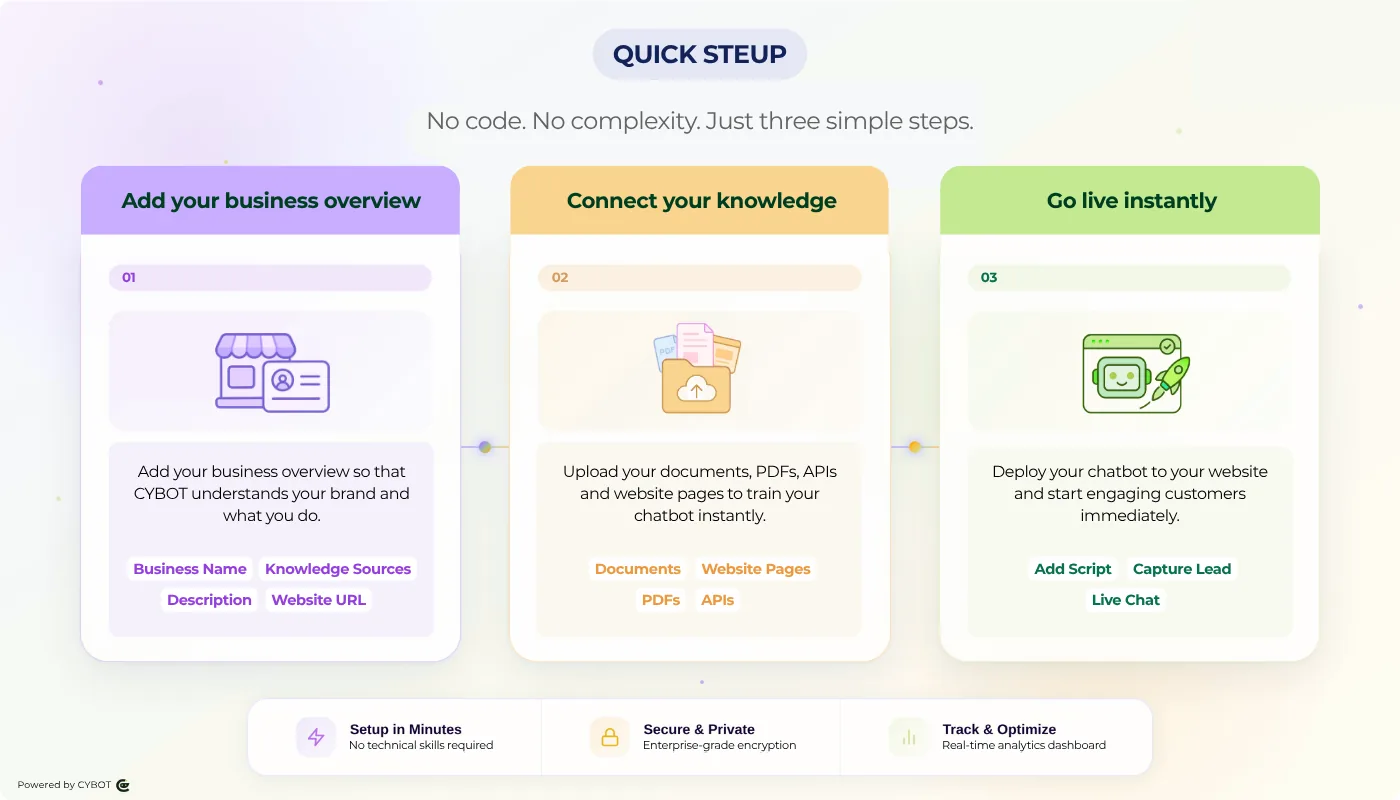
No Code. Go Live in Minutes.
Launch CYBOT on your website in minutes using a simple script or widget configuration. No development effort required.
- One click setup
- No coding or technical configuration
- Go live instantly on your website
From setup to live conversations without any effort.
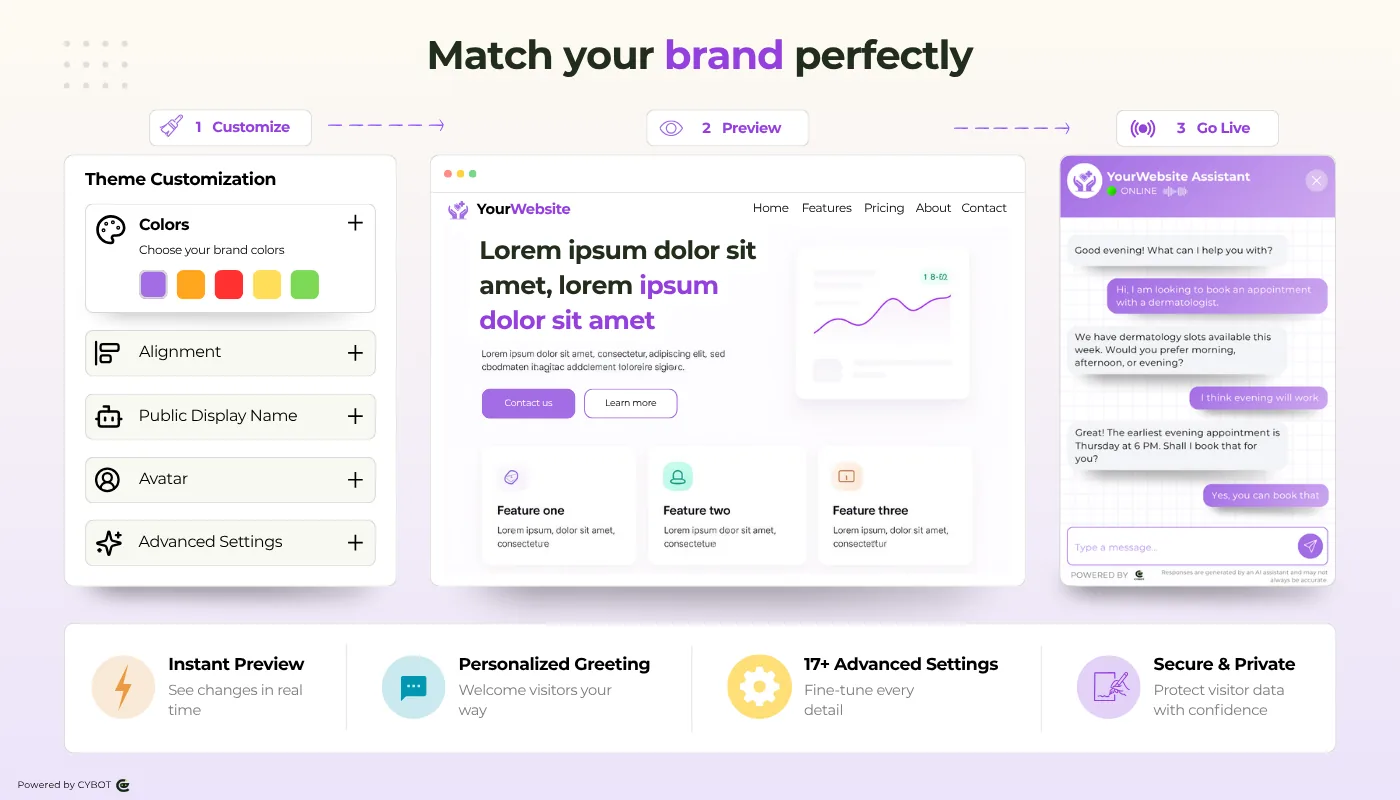
Fully Customizable
Your AI Website Chatbot, Your Brand
Make CYBOT feel like a natural part of your website and brand experience.
- Customize colors, branding, and chat widget placement
- Keep conversations consistent across all pages
Your brand, your voice, powered by CYBOT.
Deliver Leads
To Slack, WhatsApp, Email & CRM
CYBOT sends summarized lead insights directly to your tools.
- Slack
- CRM integrations
No need to log into dashboards to take action.
AI Lead Generation Chatbot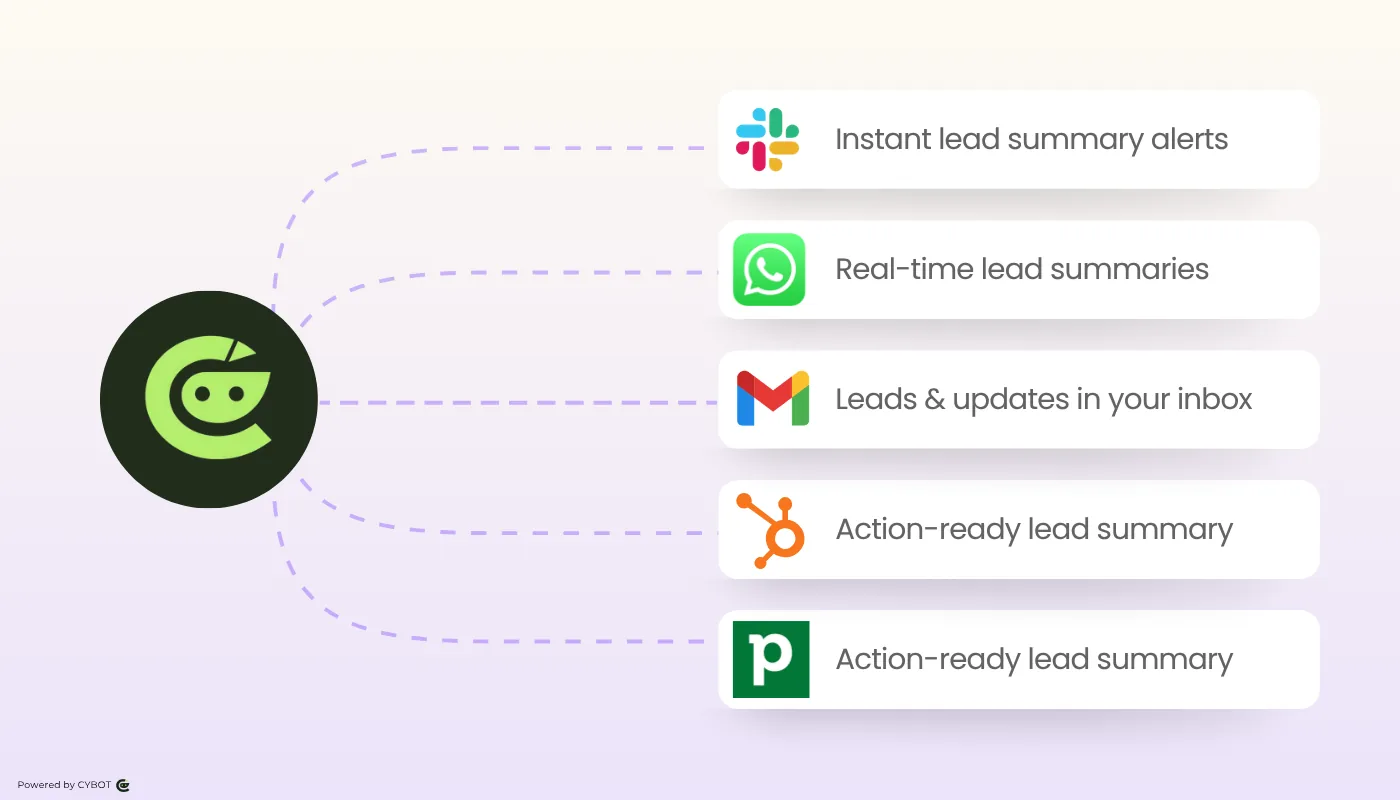
Train on Your Content
Website Pages, PDFs, Documents & APIs
CYBOT learns only from the pages and documents you approve.
- Crawl selected website pages
- Upload PDFs and documents
- Connect your Shopify store for live product, price, and stock
- Update or replace training content anytime
Your AI assistant stays accurate, relevant, and aligned with your business.
AI Chatbot Trained On Your Content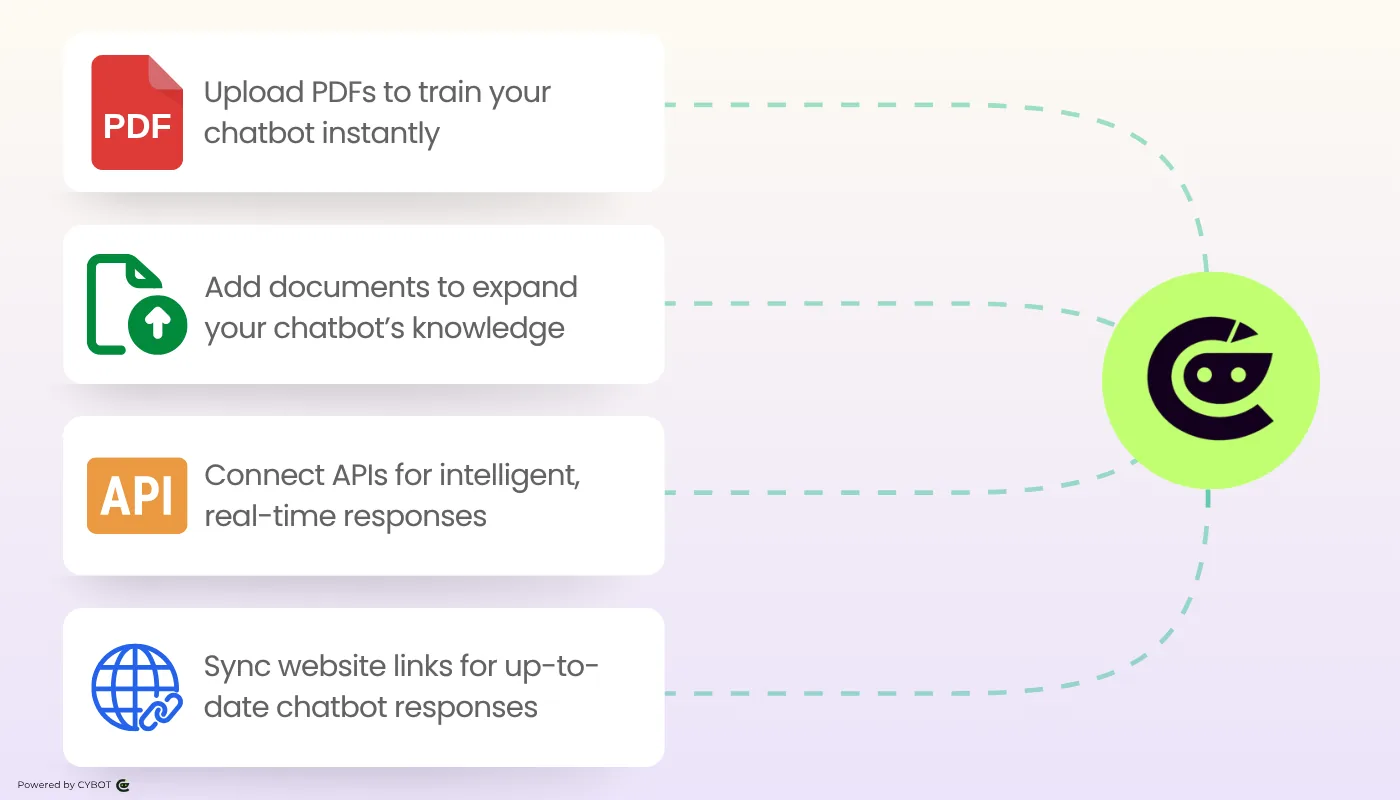
Multiple Assistants
One Dashboard. Every Service.
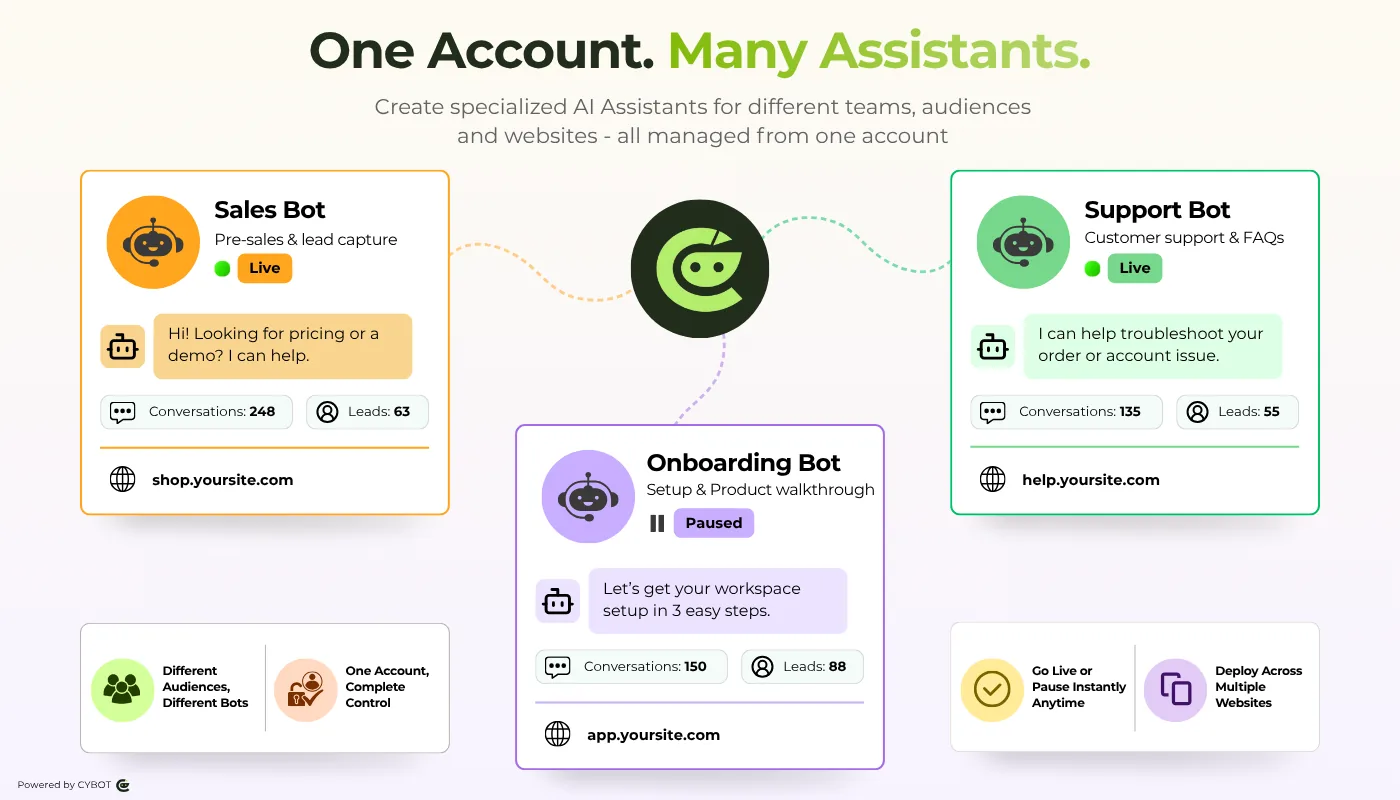
Deploy more than one AI assistant from a single account, each with its own name, avatar, training content, and conversation style.
- Separate assistants for different services or audiences
- Each bot has its own training content and tone
- Go live or pause any assistant with a single switch
- Deploy each assistant on a different website or page
Toggle any assistant live or paused instantly from the dashboard.
Multilingual AI
9 Languages. Auto-Detected.
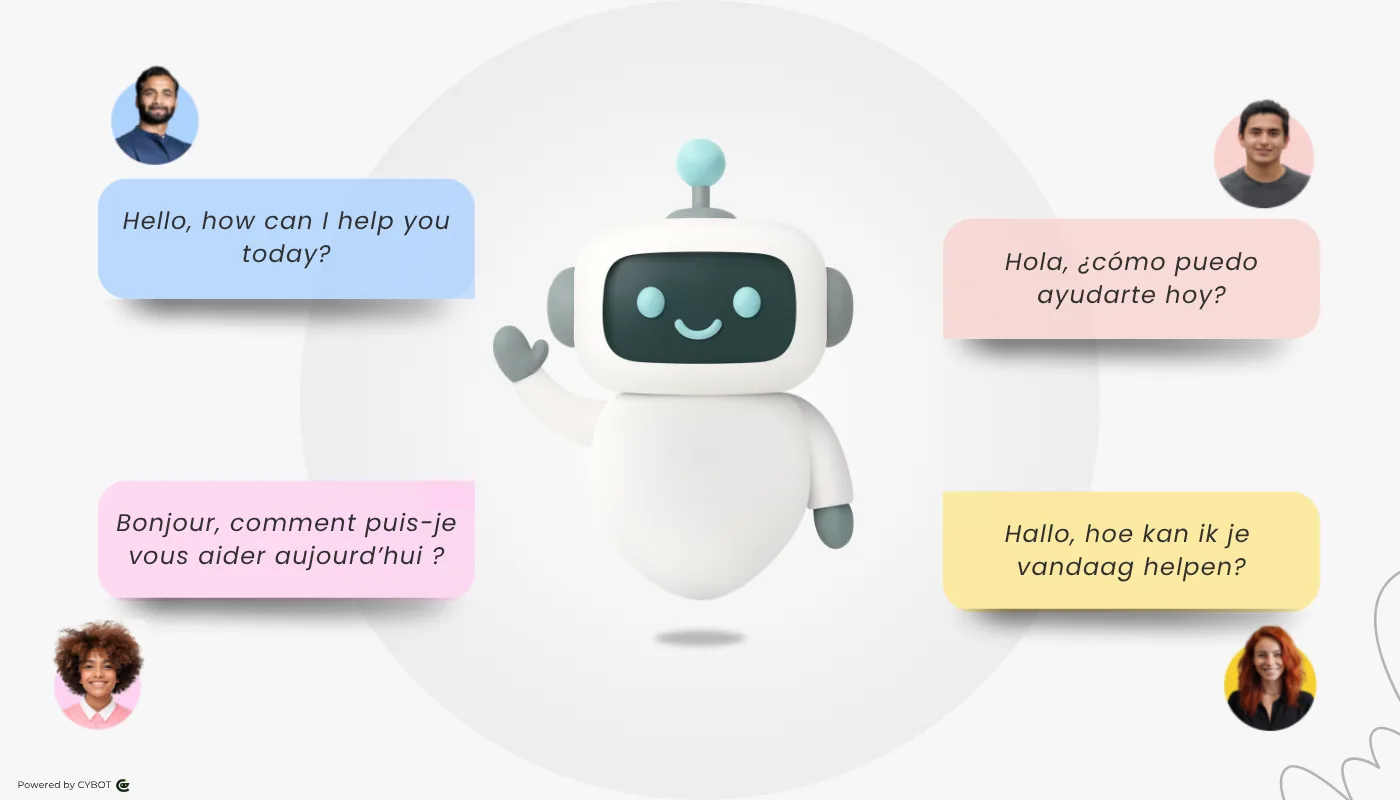
CYBOT can automatically detect the language your visitor is writing in and respond accordingly across 9 supported languages.
- Auto-detect visitor language
- 9 languages supported
- Configurable reply modes: match, fallback, or primary-only
Configure a primary language, set a fallback, or let the assistant match the customer.
Powerful By Choice. Secure By Design.

Designed for Real Business Use
CYBOT is focused on pre sales conversations, lead qualification, and meaningful follow ups, not casual or open ended chat.

Built for Modern Compliance Expectations
CYBOT supports consent driven interactions, transparent data handling, and configurable retention aligned with modern data protection needs.

No Black Box Training
CYBOT does not learn from the open internet. Every response is grounded in the content and connected sources you approve — your pages, documents, and Shopify catalog.

Multiple Assistants, One Dashboard
Run separate AI assistants for different services, locations, or audiences, all managed from one place. No duplication of effort, full control per bot.

Privacy First by Design
CYBOT is built with privacy first principles. It operates only on admin approved content and collects visitor data only with explicit consent.
Privacy-First AI Chatbot
Global from Day One
CYBOT serves visitors in their own language without needing separate bots per market. Auto-detection, configurable fallbacks, and 9-language support built in.

Portable and Future Ready
Start on a managed cloud or deploy on your own infrastructure. No lock in, full control over your data and setup.
Frequently Asked Questions About CYBOT AI Website Assistant
What it is, how it works, and why it’s different
CYBOT is more than a chatbot, it understands your content, maintains context, and supports real conversations that drive outcomes.
What is CYBOT and how does it work as an AI website assistant?
CYBOT is an AI powered website assistant that learns from your selected website pages and documents to answer visitor questions, capture leads, and support follow ups automatically.
How is CYBOT different from traditional chatbots?
Unlike rule based chatbots, CYBOT understands your actual content, maintains conversation context, and identifies actionable insights instead of serving predefined replies.
Does CYBOT understand conversation context across messages?
Yes. CYBOT maintains conversation context so visitors can ask follow up questions naturally without restarting the conversation.
Is CYBOT suitable for lead generation and sales conversations?
Yes. CYBOT is designed to support pre sales conversations, identify intent, and route qualified leads to your team with context.
Full control over what CYBOT knows
CYBOT operates strictly within admin-defined boundaries, learning only from approved pages and documents.
Is CYBOT a secure and privacy focused AI chatbot?
CYBOT is designed with privacy first principles. It operates only within admin approved content boundaries and collects visitor data only with explicit consent.
Does CYBOT access content beyond what I provide?
No. CYBOT only works within the sources you approve — the pages and documents you select, plus any store or system you explicitly connect, such as your Shopify catalog. It does not learn from the open internet or sources you have not approved.
How does CYBOT learn from my website content?
CYBOT crawls selected pages and documents, summarizes the training sources, and uses them to provide accurate and context aware answers.
Can I control which pages CYBOT should crawl or ignore?
Yes. You can select or exclude pages at any time and update CYBOT’s training content whenever needed.
Can I update or replace content used by CYBOT for training?
Yes. You can prepare custom AI training content inside the admin panel without changing your live website. CYBOT will use this content to answer visitors.
Designed to fit your brand
Customize CYBOT's look, tone, placement, and language behaviour so it fits your website experience.
Can I customize how CYBOT looks and communicates?
Yes. You can customize colors, placement, tone, and branding so CYBOT feels like a natural part of your website.
Can I set CYBOT to respond in a specific language by default?
Yes. You can configure a primary language, set a fallback language, or allow CYBOT to auto-detect and match the visitor's language. All settings are managed from your dashboard.
Can I embed CYBOT on multiple pages of my website?
Yes. CYBOT can be deployed across all pages of your website using a single script. You can also restrict it to specific pages if preferred.
Ready to turn your website into a lead generation machine?
Contact Us
Have a question? Want a demo? We usually respond within one business day.
Not ready to reach out? Start a free trial and explore CYBOT yourself.